Hideki Aono logo

Case Study · JPMC Investments · Investment Dashboard

JPMC Investment Dashboard Case Study

Scroll
04 / The product-design timeline

Research the decision moment.
Then align the system around it.

The Double Diamond gave design, product, and development a shared way to move from broad investor needs to a buildable responsive framework.

DiscoverResearch the questions.

Understand the questions investors bring to a portfolio check-in.

DefinePrioritize the jobs.

Agree on the questions the page must answer first.

DevelopPrototype the hierarchy.

Test panel roles, reading order, and responsive behavior.

DeliverGovern the system.

Translate one shared model into buildable modules.
Playbook

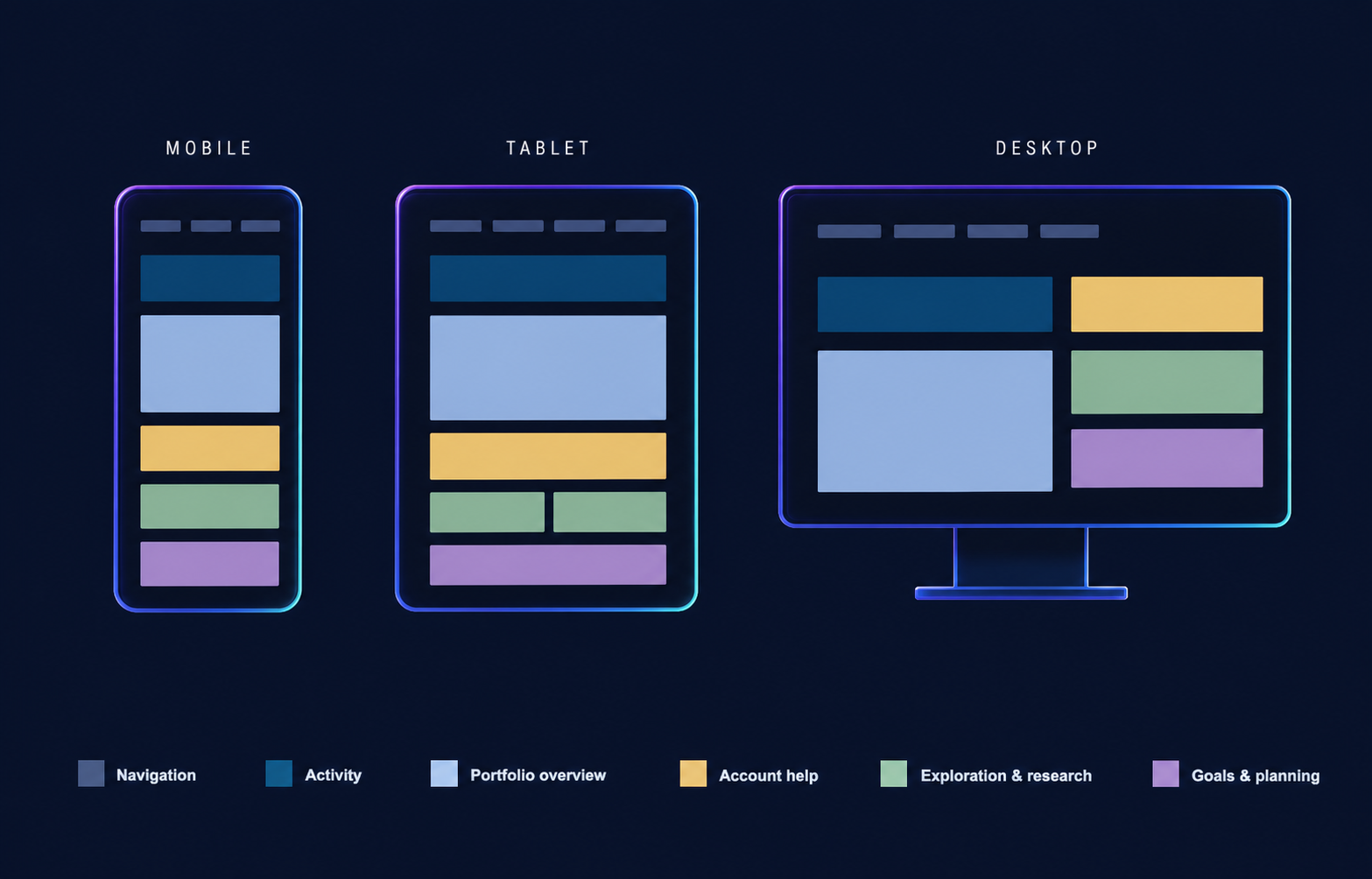
Mobile, tablet, and desktop dashboard layouts with a panel color legend
02 / Responsive system

Responsive by design.
Built around how users engage.

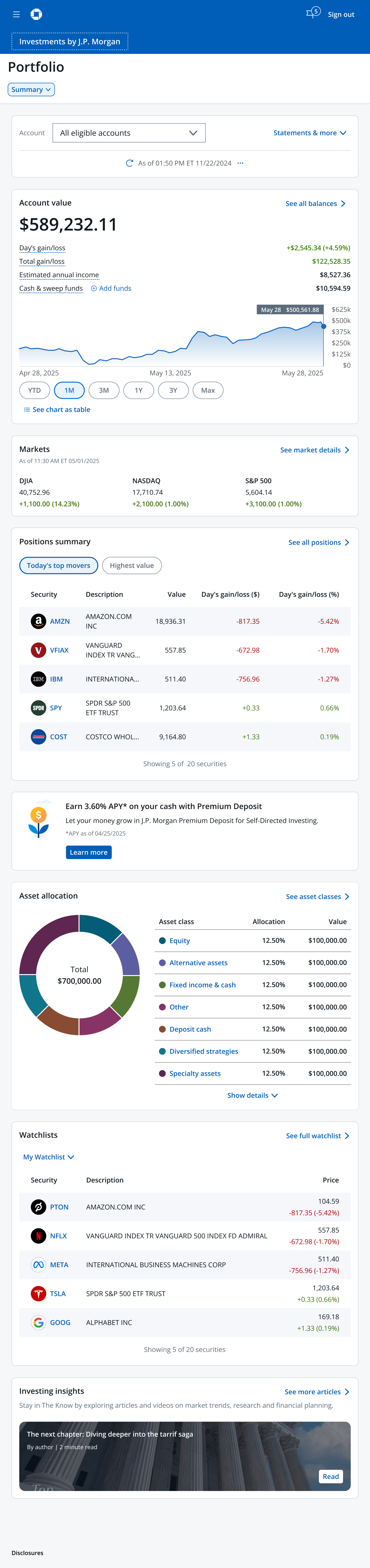
Whether investors check in, review, or analyze, the dashboard adapts to the moment and device while preserving the same portfolio capabilities.

Mobile investment dashboard
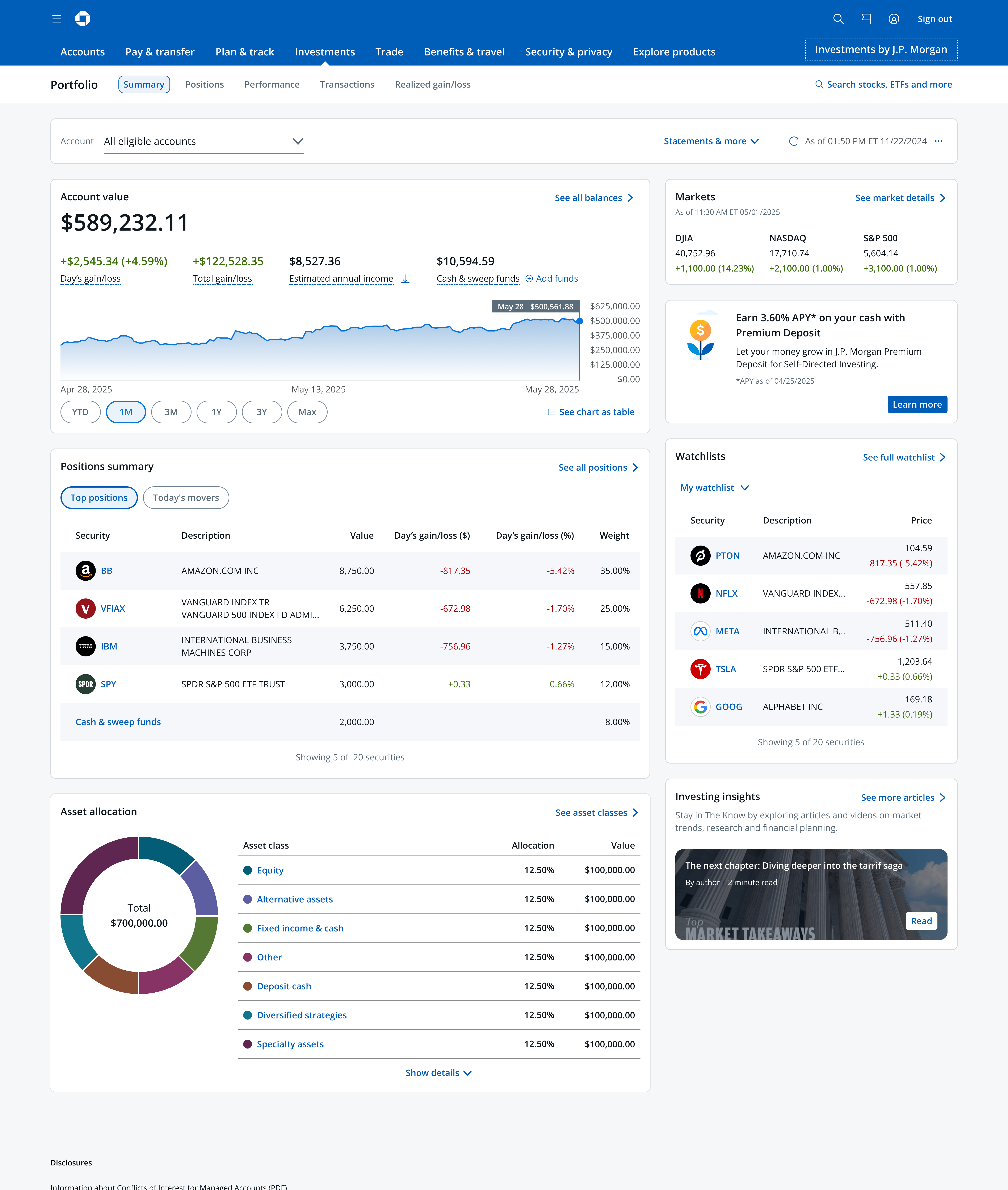
Desktop investment dashboard
Tablet investment dashboard
07 / Jobs to be done

Map investor questions to the panel.

Mobile investment dashboard layout
Scroll through the page anatomy
01 / Investor job

“What account am I viewing?”

Navigation and account context establish scope before a person reads any number.

02 / Investor job

“How is my portfolio doing?”

Account value and performance bring the balance, movement, and trend into one clear starting point.

03 / Investor job

“How are the markets doing?”

Markets provides a concise read on the broader conditions surrounding the portfolio.

04 / Investor job

“What am I holding, and how well is it doing?”

Positions show the holdings behind the portfolio and their individual gain or loss.

05 / Investor job

“How can I maximize my account?”

Account help introduces an adjacent opportunity to make more of available cash.

06 / Investor job

“How is my money allocated?”

Asset allocation turns the portfolio into a legible composition of exposure and values.

07 / Investor job

“What should I monitor next?”

Watchlists and investing insights extend the check-in into the next useful action.

03 / Information depth

From glance to action.
Answering jobs to be done.

This page helps investors understand their overall portfolio so they can decide what to do next: buy, hold, or sell.

01Overview

Glance

A fast check-in for the most immediate signal.

  • Current value
  • Daily movement
  • Top-line performance
02Dashboard

Dip

A connected portfolio review that explains what is happening and what deserves attention next.

  • Holdings and performance
  • Allocation and opportunity
  • Watchlists and insights
03Analysis and action

Dive

A dedicated workflow for detailed investigation and action.

  • Security-level research
  • Comparative analysis
  • Transaction decisions
Investor questions this page answers
  • What account am I viewing?
  • How is my portfolio doing?
  • How are the markets doing?
  • What am I holding, and how well is it doing?
  • How can I maximize my account?
  • What should I monitor next?
  • How is my money allocated?
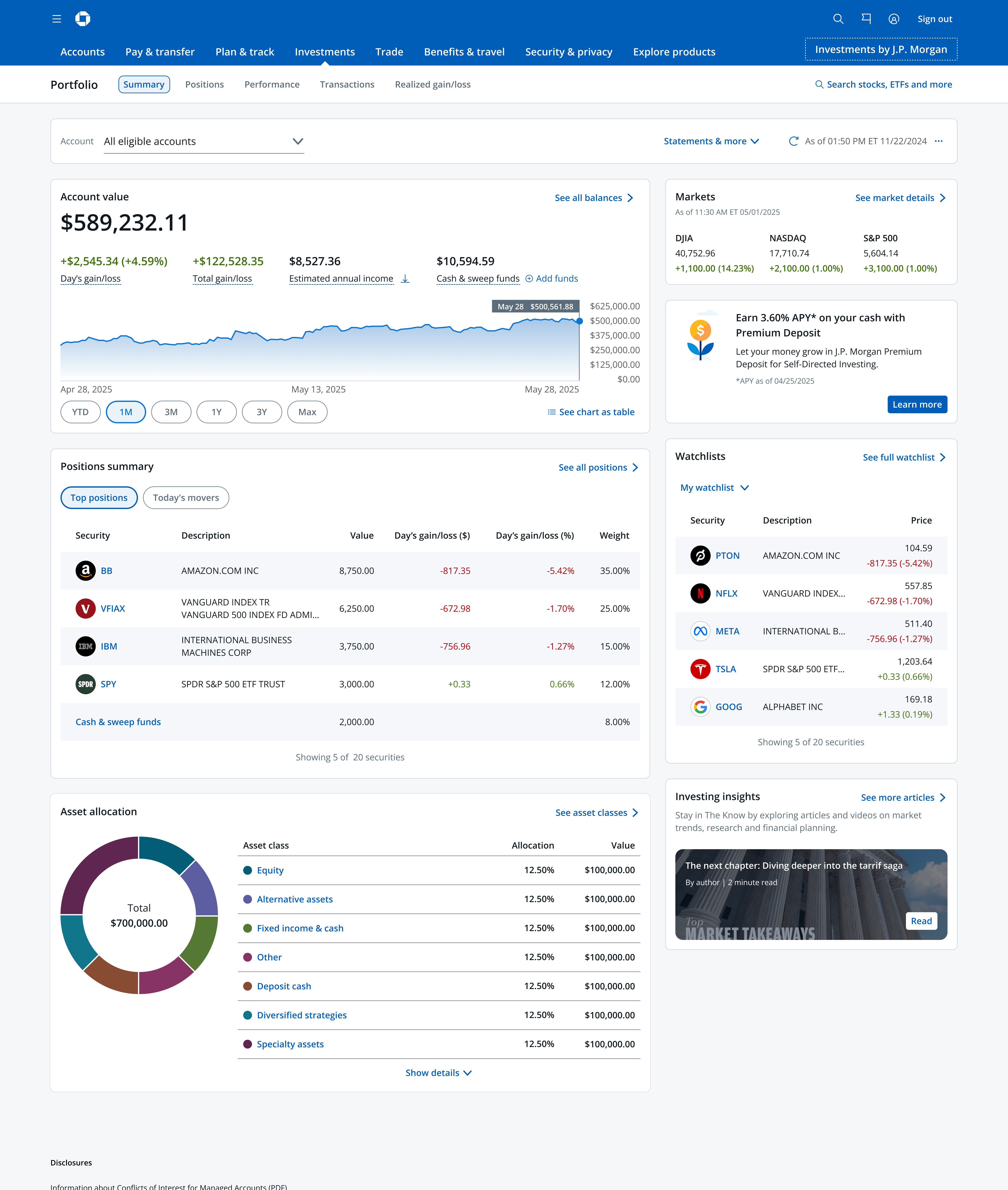
Desktop investment dashboard with account value, positions, allocation, watchlists, and investing insights

06 / Wider canvas

Modular 2-column tile design.

Desktop gives related answers room to sit side by side. The left column carries the primary portfolio jobs. The right column keeps secondary jobs visible, useful, and clearly in context.

08 / Retrospective

Challenges & learnings

Challenge

Aligning discipline initiatives.

Solution

A shared framework.

  • Clarify the hierarchy.
  • Prioritize the highest-value questions.
  • Build a system that scales.
  • Align on information and timelines.

Q & A

Hideki Aono logo

JPMC Investments · Investment Dashboard